
PAYMENTS
How do I find my Swish Authorization Token?
Läs den här guiden på svenska →
On this page
This article explains how to find the Swish Authorization Token.#
First you need to install the plugin (https://wordpress.org/plugins/woo-swish-e-commerce/). Once the plugin is installed, you need to connect it to the Swish service. This can be done in by:
Log into your WordPress
In the left sidebar – Go to WooCommerce -> Settings -> Payments
Click on Swish in the list shown
Set BjornTech as Technical Supplier under Connection Type
Enter your Swish Handel Number as well as an email that you frequently check
Click on Connect.
You’ll now receive an email with the token as well as an activation link in the bottom of the email that you need to click to activate the plugin (important!).
The plugin is now connected to the Bjorntech Swish Service
Once the plugin is installed and connected to Fortnox you can find the Fortnox Hub authorization code by doing the following:
Log into your WordPress
In the left sidebar – Go to WooCommerce -> Settings -> Payments
Click on Swish in the list shown
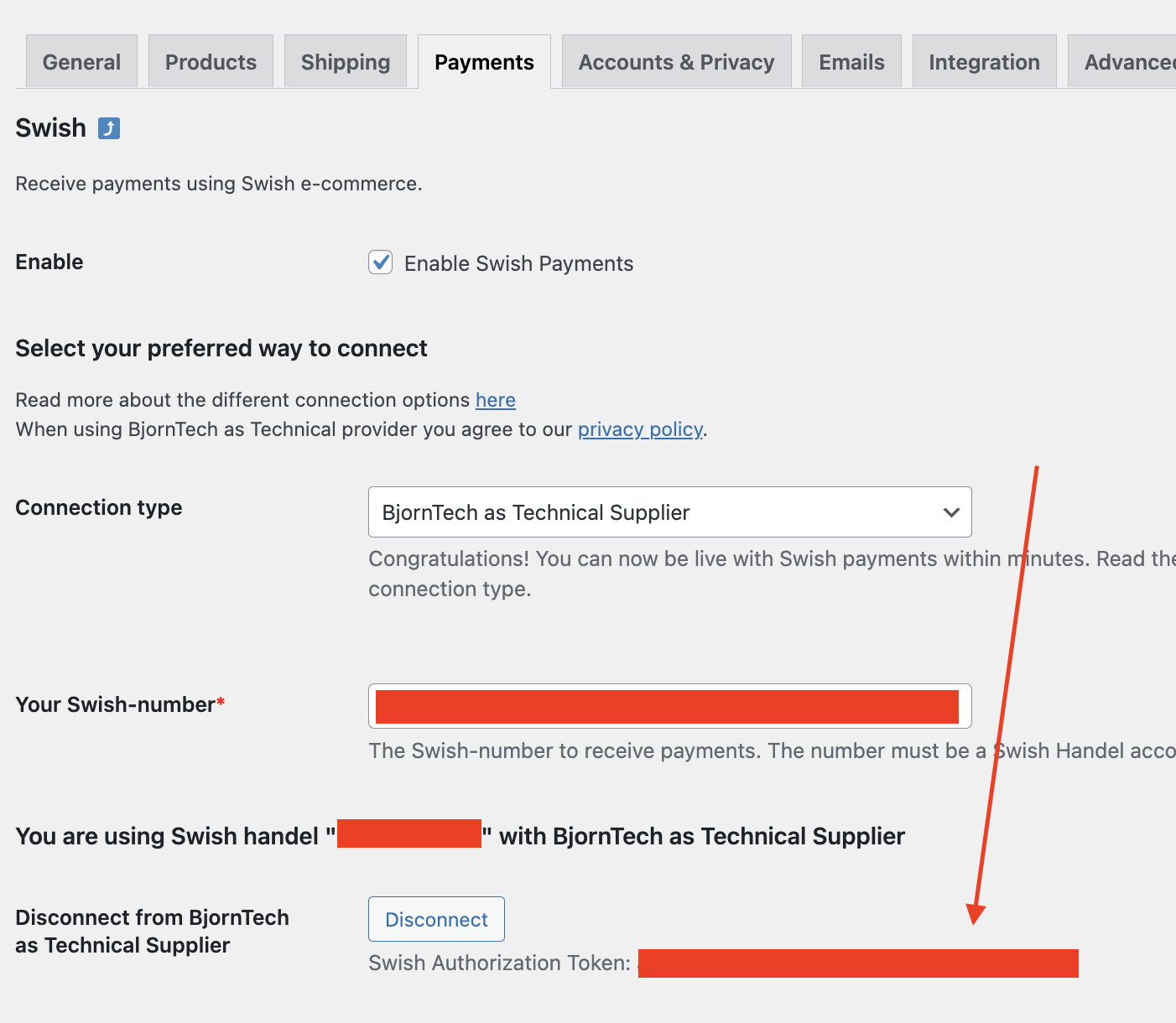
Look for the Swish Authorization Token. This is your Swish Authorization Token.
Need more help?
Contact our team ↗