
ACCOUNTING
How do I find my Fortnox Hub authorization code?
On this page
This article explains how to find the Fortnox Hub authorization code.#
First you need to install the plugin (https://wordpress.org/plugins/woo-fortnox-hub/). Once the plugin is installed, you need to connect it to Fortnox. This can be done in by:
Log into your WordPress
In the left sidebar – Go to WooCommerce -> Settings
Click on the Fortnox Hub tab
Click on Connect and follow the instructions.
The plugin is now connected to Fortnox Hub
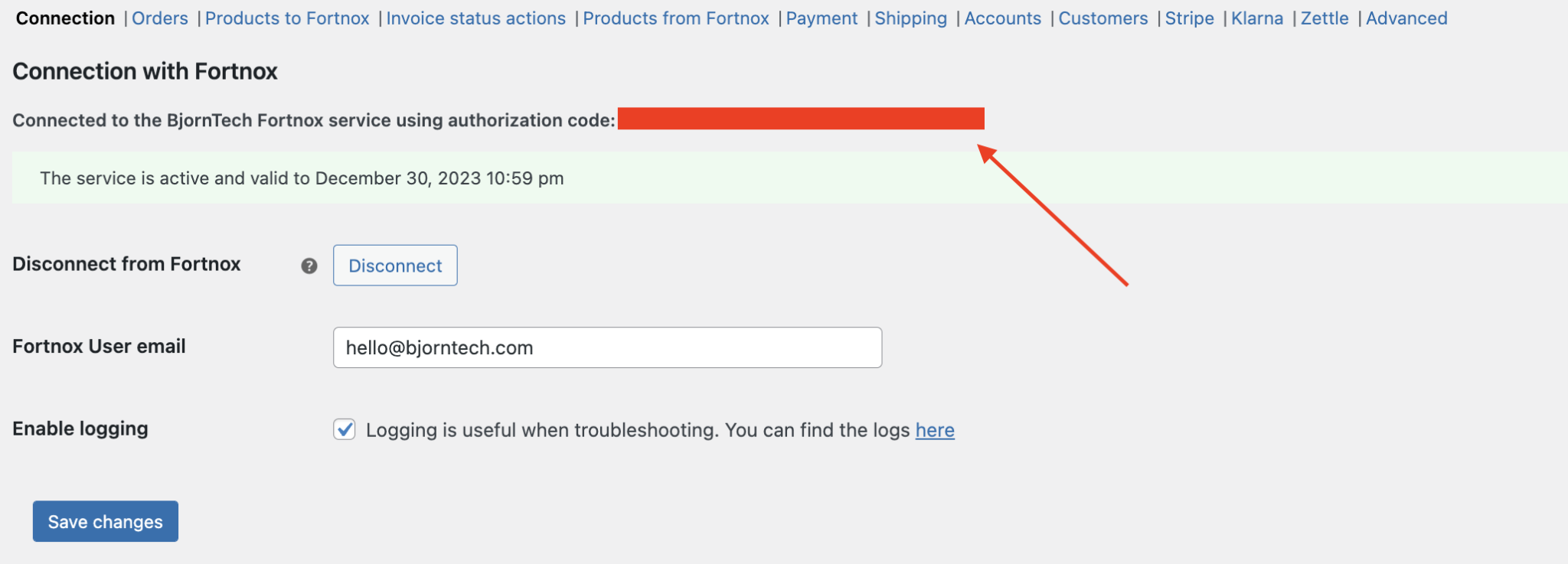
Once the plugin is installed and connected to Fortnox you can find the Fortnox Hub authorization code by doing the following:
Log into your WordPress
In the left sidebar – Go to WooCommerce -> Settings
Click on the Fortnox Hub tab
Look for the authorization code. This is your Fortnox Hub authorization token.
Need more help?
Contact our team ↗